How Lot Current works
Lot Current reads your website's used inventory, fills in the Marketplace form for each pre-owned car, and rescans to show what sold or changed price.
It is a Chrome extension on the salesperson's own computer. Four steps, and a person is at the keyboard for every one of them.
Reads your website
Click Scan website on your dealership's used inventory page. Lot Current reads the cars the website lists, keeps the pre-owned ones at your store that have photos and a price, and shows them on its Ready to post tab. New, demo and loaner cars never get through; a car the check cannot confirm, or a trailer, RV, powersport vehicle or boat, goes to Needs a look instead. Cars at a sister store sit under Other stores.
Nothing is posted by a scan. It only reads your own public website.
Fills in the listing
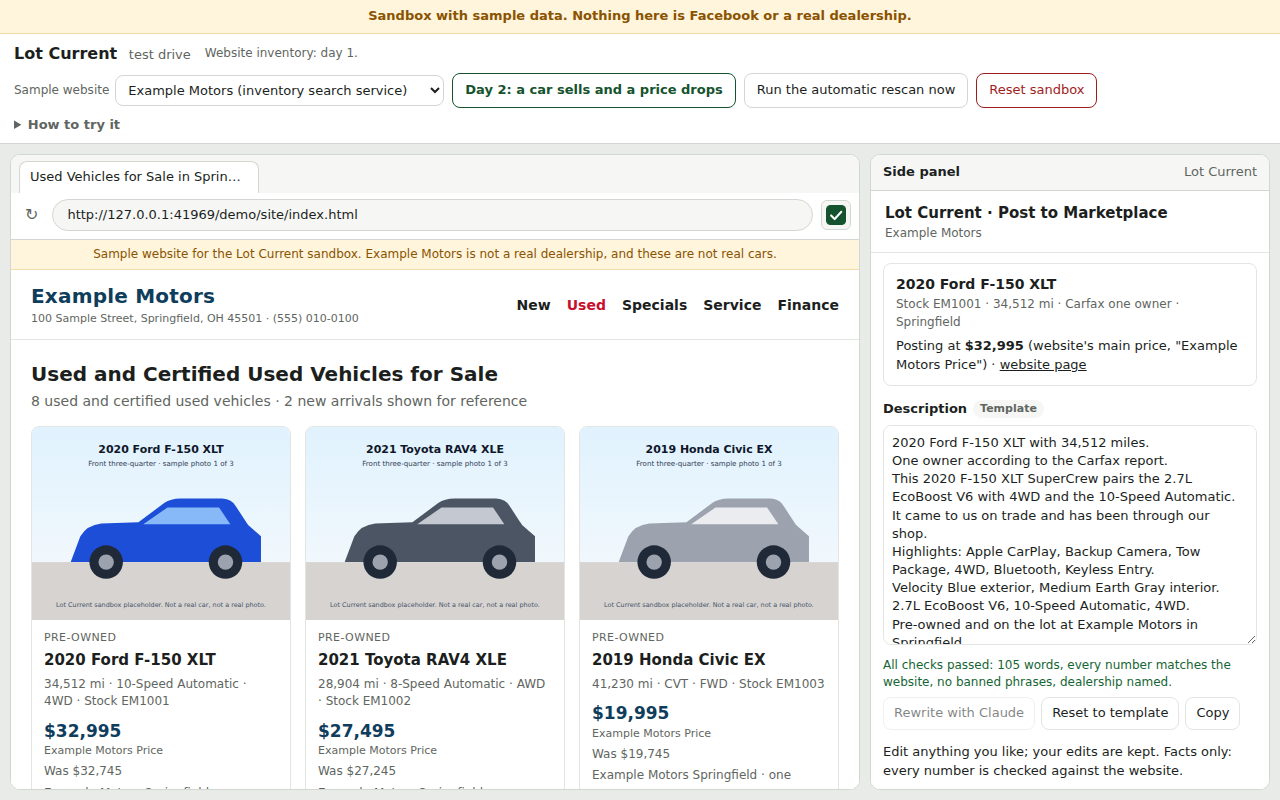
Click Post on a car. The side panel re-reads that car's own page on the website, runs the pre-owned check again on the fresh copy, and writes a description from the website's facts, every number checked against the website and your dealership named in it. You can edit the description before it goes in.
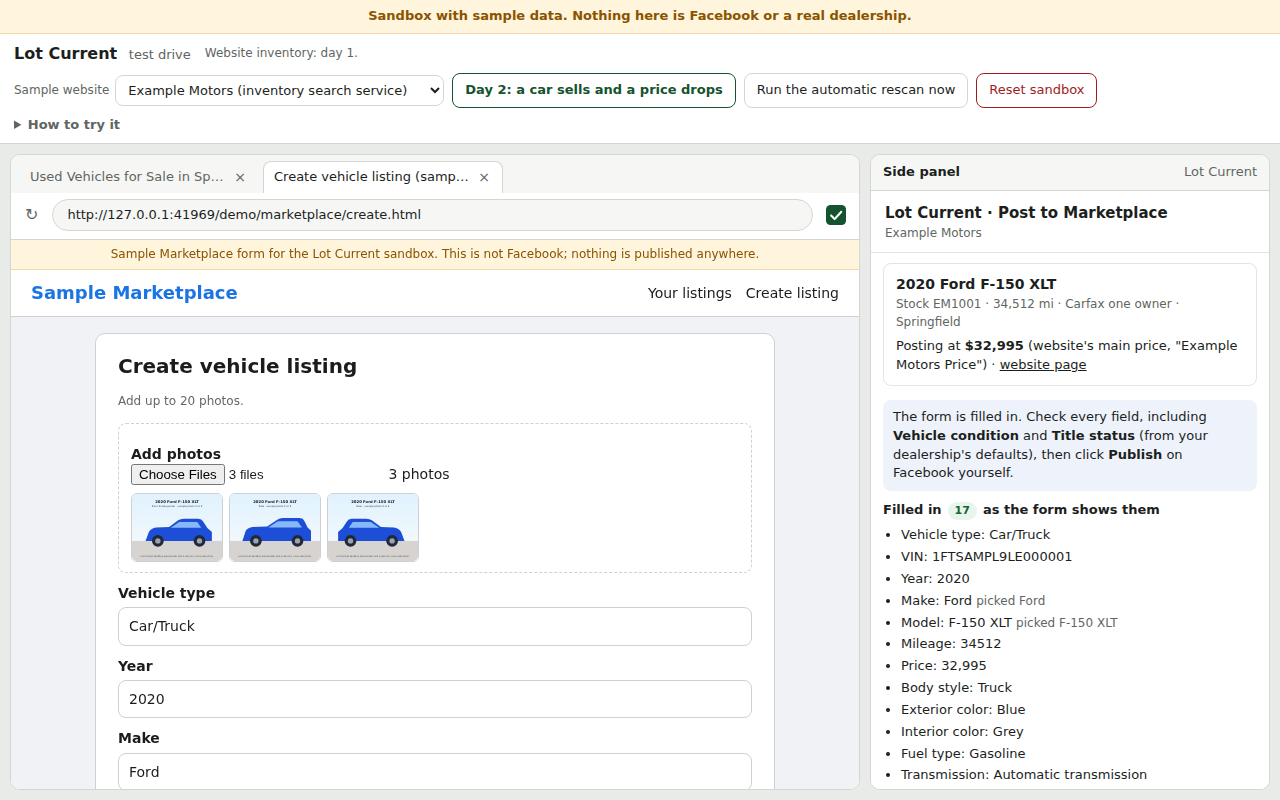
Then it opens the Marketplace form and fills in the year, make, model, mileage, price, VIN, colors, body style, fuel, transmission, location and the photos. Title status and condition come from your dealership's defaults. Several cars at once: tick them and Lot Current walks through them one after another, each one still getting your check and your click.
You check it and click Publish
The panel shows what it filled, as the form shows it, and anything it couldn't. A field it could not fill comes with a Copy button, so you paste the value yourself and check the field before you publish. Then you read the listing and click Publish, every time.
Lot Current never clicks Publish, Update, Delete or Mark as sold, and it never posts or edits in the background or while you are away. There is no code for those buttons, and a test that fails if any appears.
Keeps listings honest
With automatic rescans allowed, Lot Current re-reads your website every 3 hours while Chrome is open; it never touches Facebook then. A sold car shows on your To do tab under Take down, a price change under Update price, each with a button that opens the right listing. For a price change the website's new price goes into the Price box the moment the form shows it; you click Update yourself, and the panel ticks the item off when it sees the listing changed.
Only cars marked as posted are watched. A car you listed by hand is covered once you click Mark posted. Price changes only mirror the website: no invented drops, no raise-then-drop, no delete-and-relist.
What it needs
- Google Chrome on the salesperson's computer.
- A dealership website on Dealer Inspire, which is where Lot Current has been checked on a live site. Lot Current also tries any website that publishes standard vehicle data (schema.org) on its car pages; that reader has been tested only on sample websites, so no other platform is known to work until a real site has been scanned.
- The salesperson's own Facebook account. Marketplace stopped taking vehicle listings from dealer Pages in 2023, which is why salespeople post from their own accounts. Lot Current never asks for the password, never reads cookies or tokens, and never runs extra or shared accounts.
How the pre-owned check works
Three separate signs on the dealer website have to agree the car is pre-owned:
- the inventory type from the dealer's system (Used / Certified Used / New);
- the condition word in the car's web address;
- the condition word at the start of the listing title ("Pre-Owned 2019 ...").
A demo or loaner flag means "sold as new". Mileage is never used to call a car used. Anything that disagrees or looks off, like a used car showing 0 miles, goes to Needs a look. A pre-owned car is ready to post only if it has photos, a price, is on the lot, is not sale-pending and is at your store. The side panel runs the same checks again on a fresh copy of the record right before it fills the form.
Next: pricing and the free pilot, the questions and answers, what managers see, or how to get support.