Is this allowed on Facebook?
Meta's Terms prohibit accessing its products by automated means without permission. A person checking and publishing every listing is the safest design available, and still not a guarantee. Read the full answer.
Lot Current fills in the Facebook Marketplace vehicle listing from your dealership website, photos included; you check it and click Publish. It also tells you the same day when a car sells or its price changes.
You click Publish. Lot Current never does.
Click Scan on your used inventory page. Lot Current lists the pre-owned cars at your store that have photos and a price. New, demo and loaner cars never get through.
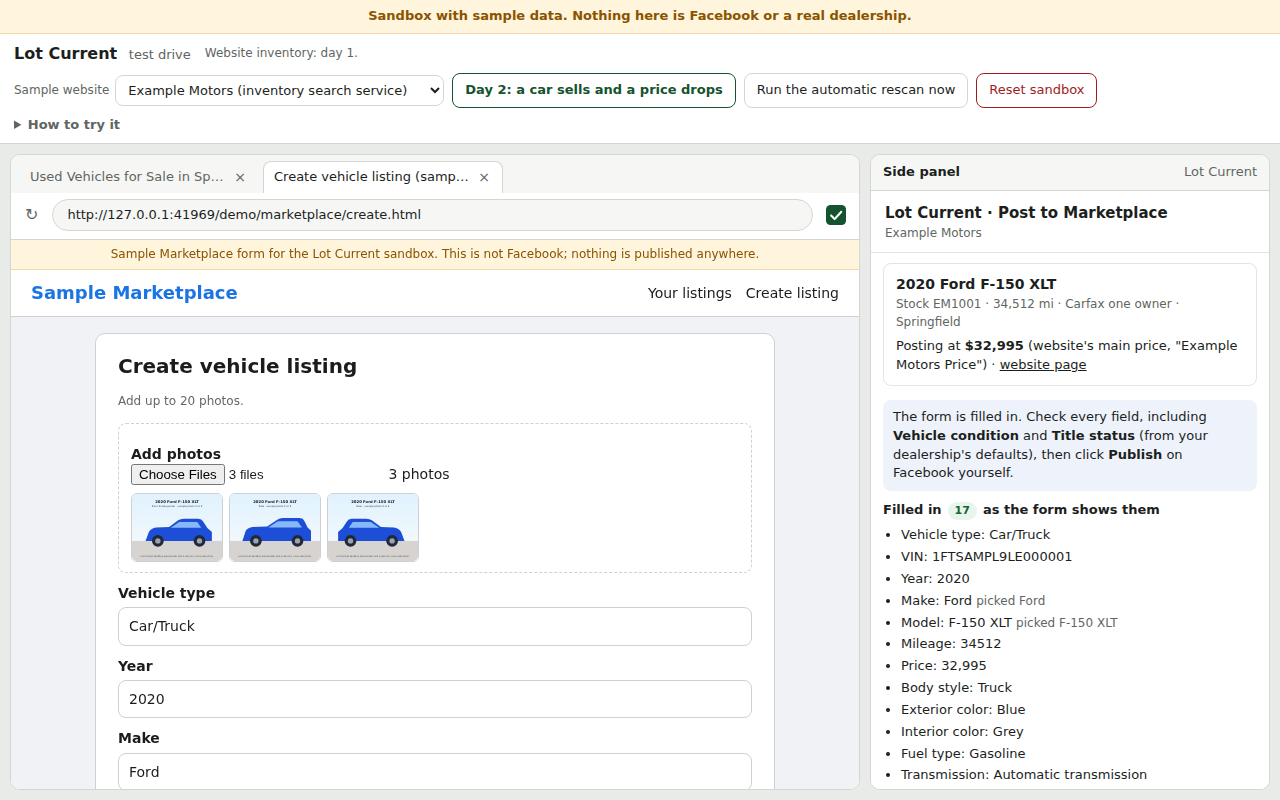
Click Post on a car. The Marketplace form opens with the year, make, model, mileage, price, VIN, colors, body style, fuel, transmission, location, a description written from the website's facts, and the photos.
Lot Current shows you what it filled, as the form shows it, and anything it couldn't. Then you publish, every time; Lot Current never does.
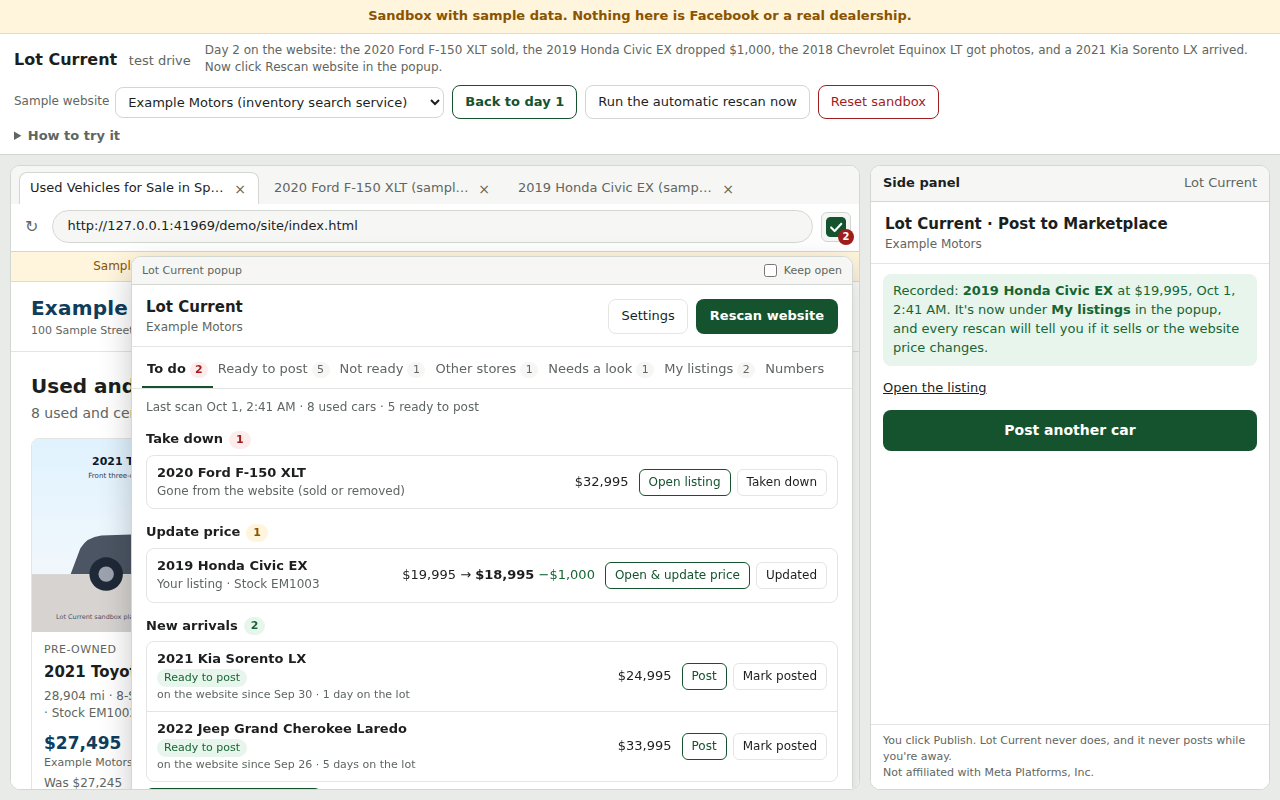
With automatic rescans allowed, Lot Current re-reads your website every 3 hours while Chrome is open. Sold car? Price change? It shows on your To do list with a button that opens the right listing.
Read how it works in full, including what it needs and how the pre-owned check decides.
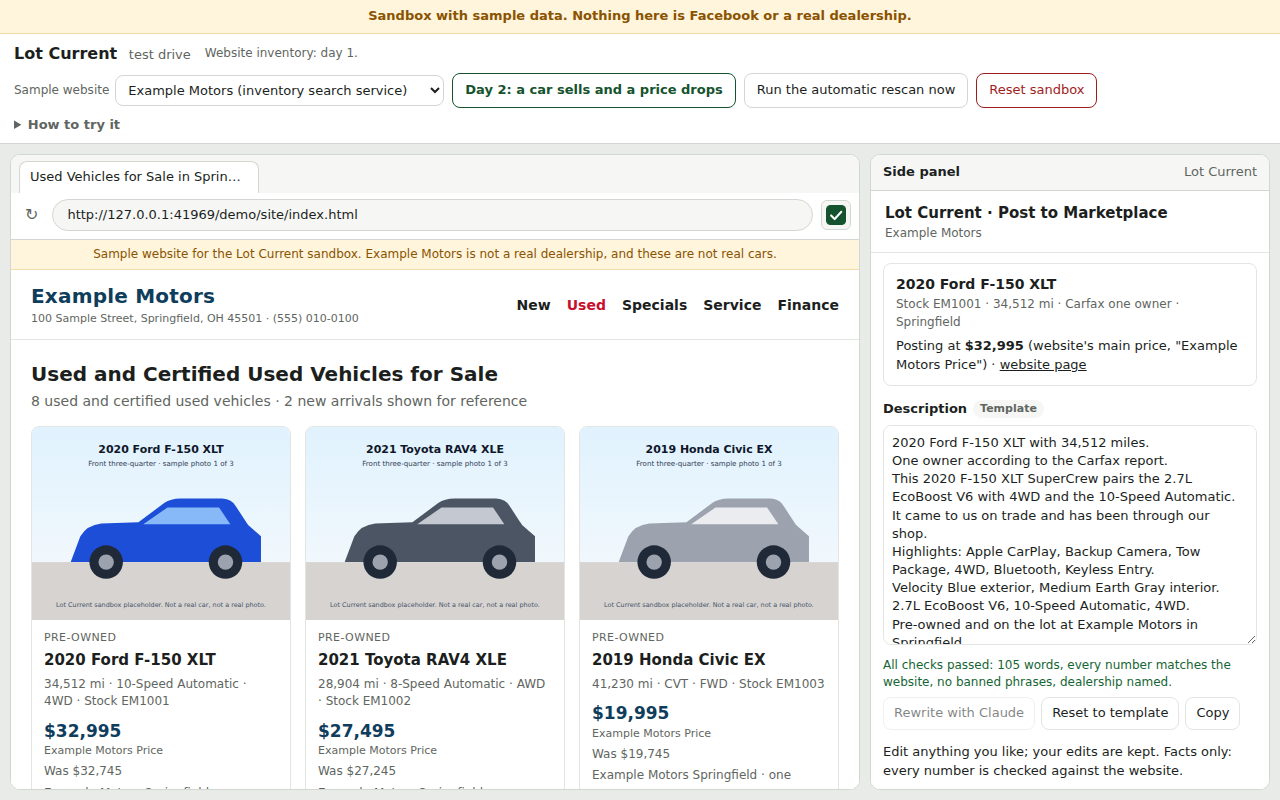
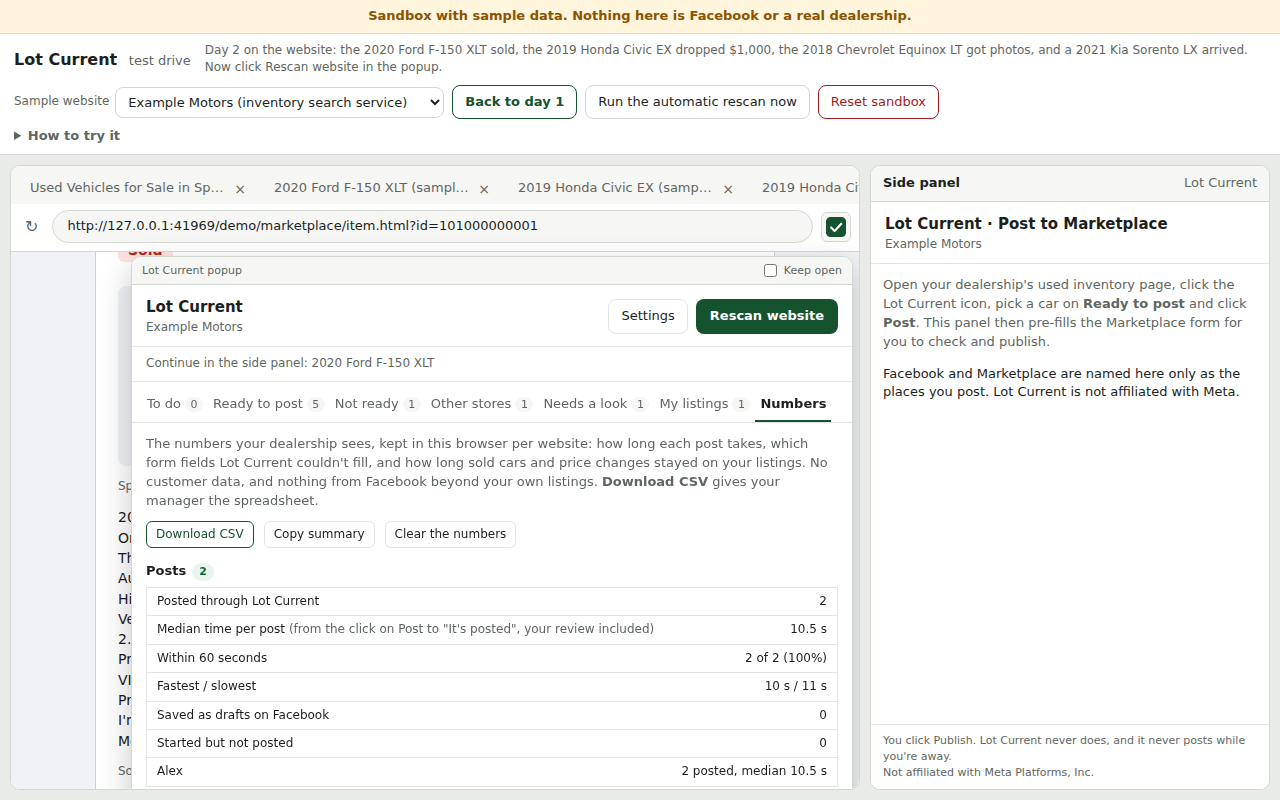
Five screens from the in-browser sandbox: the extension's own popup and side panel, against a sample dealership website and a sample Marketplace form. Sample data only; nothing shown is Facebook or a real dealership.
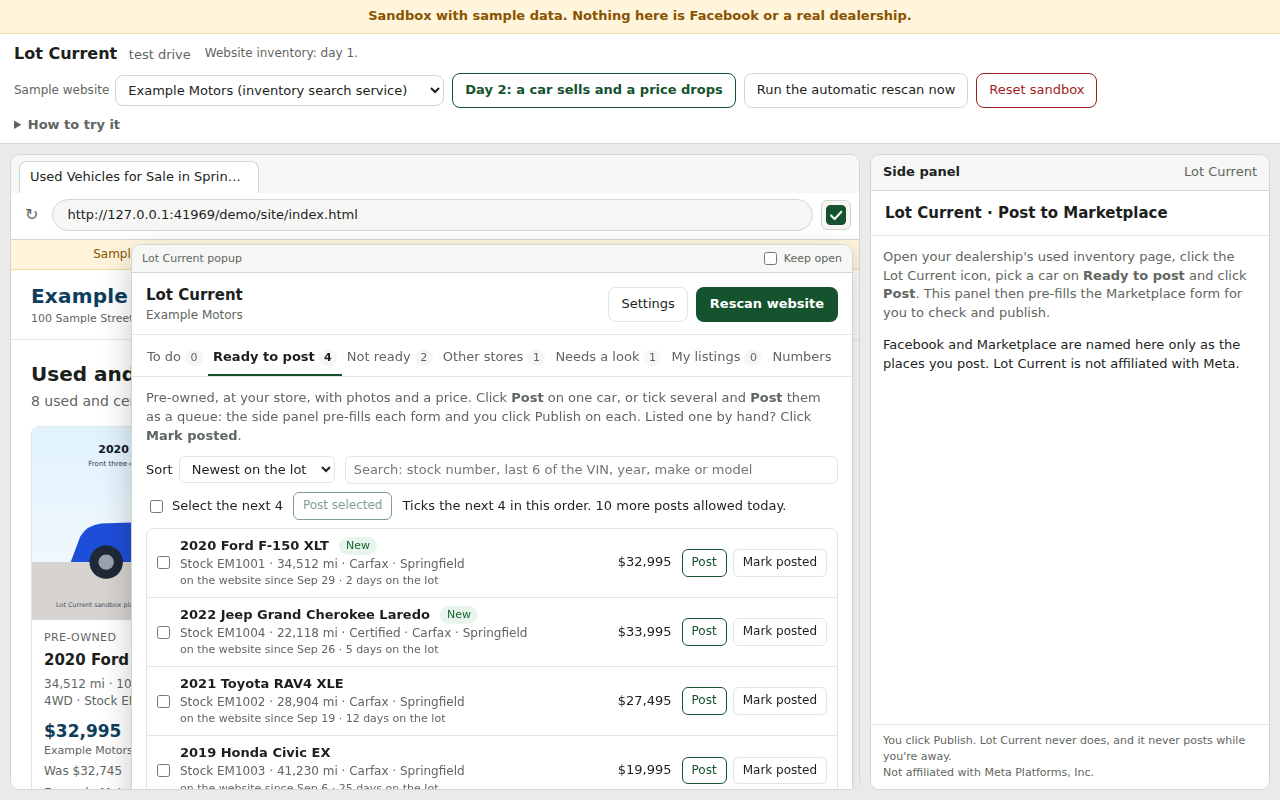
Three separate signs on your website have to agree a car is pre-owned before it can be posted. A demo or loaner flag always means no.
The car's photos from your website go into the listing with everything else.
The listed price is your website's price, on the price basis your dealership chooses. Price changes only mirror the website.
Written from the website's own data, with every number checked against it, and your dealership named in every one. You can edit it before it goes in.
Each rescan puts what to take down and what to reprice on a To do list, with a button that opens the listing ready to fix.
Tick the cars and Lot Current walks through them one at a time. Each one still gets your check and your click on Publish.
The car, the listing link, the price, the time and who posted it. Marking a car sold or repriced ticks it off the list.
Before posting, the VIN's format, model year and manufacturer are compared with what the website says, and any difference is flagged.
Your dealership sets how many posts a day each salesperson may make. It is a safety setting, not a guarantee of anything from Facebook.
Once the manager view opens, managers will see the same numbers for the whole store: what managers see.
Meta's Terms prohibit accessing its products by automated means without permission. Having a person check and click Publish is the safest design available; it is not a guarantee, and no tool can honestly promise one.
Lot Current is not affiliated with Meta Platforms, Inc. "Facebook" and "Marketplace" are used only as the names of the places you post.
Planned pricing: $149 per rooftop per month, with five salespeople included, $20 a month for each extra salesperson, and a 30-day free pilot first. These are planned prices, confirmed with you before any paid subscription starts. The pricing page has the founding-dealer price and the details of the free pilot.
Meta's Terms prohibit accessing its products by automated means without permission. A person checking and publishing every listing is the safest design available, and still not a guarantee. Read the full answer.
No. You check every listing and click Publish yourself; Lot Current never clicks Publish, Update, Delete or Mark as sold.
All questions and answers: what it reads, where your data is, your Facebook password, which websites work, and how updates arrive.
Ten minutes at your desk, on your own website. Tell us who you are and we will get in touch.
The demo request form is not open yet.